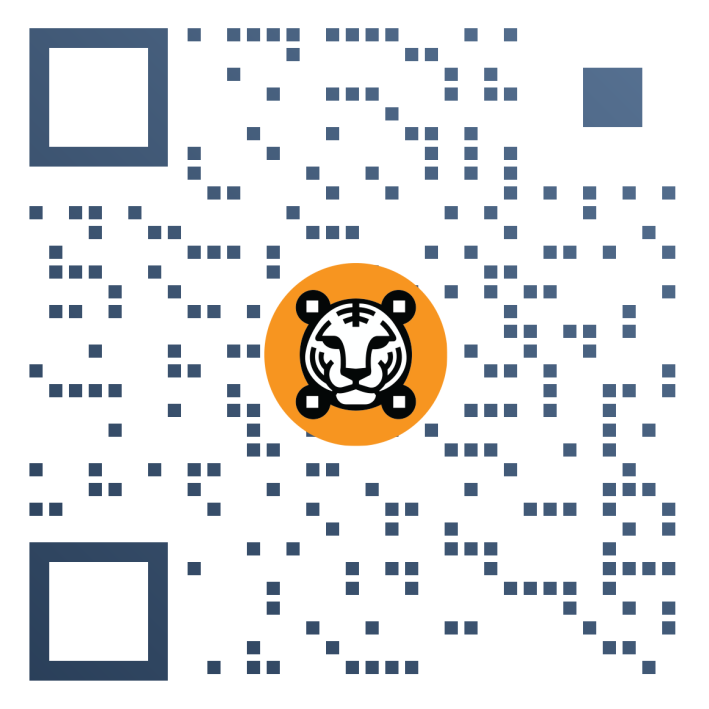



Google Form QR Code Generator for Enterprise
QR TIGER’s Google Form QR code is designed for businesses and large-scale companies to efficiently and securely collect feedback, facilitate registrations, host polls and surveys, and engage meaningfully with their audience. With the best QR code generator with logo integration, you can quickly and hassle-free create and track a QR code for Google Forms.
BOOK A DEMOHow does a Google Form QR Code work for Businesses?
The QR code links users directly to your Google Form, eliminating the need for typing a long URL. Their versatility also makes them a natural addition to collateral and other assets.
It simplifies the process of accessing and sharing your online forms, increasing participation rates and making the digital form-filling experience more engaging and interactive.

Advanced data tracking and analytics
Google Form QR codes for Enterprise have powerful built-in tracking features that monitor your form’s performance and user behavior, such as when and where they scanned the QR code and which device type they used.

Data privacy and security-centric
Businesses are reassured that Google Forms with sensitive information are in safe hands by enabling access control through password protection and download limits, ensuring only those authorized can open them.
Use cases of Google Form QR Codes for Businesses
Our Google Form QR codes pose powerful, real-world applications for large corporations. Here are some examples:

Heighten employee onboarding and training
Convert a Google Form to QR code with QR TIGER and use them to create quick check-ins for new hires, granting a platform for them to confirm their understanding and share their questions and roadblocks.
Quickly collect customer feedback
Place Form QR codes on your receipts, product packaging, or in-store displays to prompt customers to share their experience of your goods or services. This data can help identify pain points and areas for improvement.
Conduct swift market research
Upscale your marketing strategy with a cost-effective Google Form QR code. Share your QR code on physical and digital marketing materials to explore new trends and preferences among your target audience.
Expedite service requests
Create smooth internal service or IT support by providing employees with a QR code they can scan to submit work order requests. This makes management and tracking of issues organized and efficient.
Why Fortune 500 companies love QR TIGER
Top industry leaders rely on our Google Form QR solution for a range of reasons
Team Access and SSO
Quick log in for as many as 99 sub-users that can manage multiple projects or businesses.
White Labeling
QR TIGER allows businesses to create custom short domains for their QR codes, enhancing brand recognition.
Smart QR Codes
Track Google Form visits, monitor device types, and gather location data for insights on engagement.
Create and Monitor
Create and track up to 150,000 dynamic QR codes simultaneously.
Unlimited Scans
Share Google Form QR codes without restrictions, supporting up to 10,000 scans per minute.
API Integration
Easily embed QR codes into existing systems for seamless functionality.
Frequently Asked Questions
What is a Google Form QR code?
It is a static and dynamic QR code solution that links users to a Google Form. It offers handy features for businesses, like scan tracking and an analytics overview in the account dashboard.
How to make a QR code for a Google Form?
Go to QR TIGER for Enterprise, select the Google Form QR solution, enter your Form’s URL in the empty data field, and choose between Static QR and Dynamic QR. Then, click Generate QR code before customizing it to match your brand.
Can I change the Google Form link after generating a QR code?
Yes, you can if you create a dynamic QR code. This type of QR allows you to edit or change your QR code content even after printing.
Is there a free QR code generator with logo integration for Google Forms?
Yes. QR TIGER is an advanced QR maker that allows you to make custom-branded Google Form QR codes by uploading a brand logo and a wide range of customization options.
Where can I use a Google Form QR code?
You can place these codes in numerous locations, such as printed materials (e.g., posters, brochures, product packaging) or digital spaces (e.g., emails, newsletters, social media platforms).
Is there a limit to the amount of people who can scan a Google Form QR code?
No, QR TIGER Enterprise can allow any number of people to scan and access a Google Form QR code. However, Google Forms has a 5-million response limit per form, which is adequate for most use cases.

'QR Code' is a trademark of DENSO WAVE INCORPORATED. © 2026 www.qrcode-tiger.com